
Self-care is not bath bombs and face masks. The World Health Organization defines it as what you do to stay healthy, prevent illness and cope when you are ill. On most days, that means sleep, food, moving, time with other people, and the admin you keep putting off. We explain the difference in what self-care is, and what it is not. So a good self-care app is one that helps you do those dull things on an ordinary Tuesday.
We picked nine apps, each for a different need. We make the first one, KUBBO, so read that entry with this in mind. For the other eight, you get what the app does, what it costs on the US App Store in November 2026, and a table of pros and cons. Where we have written a longer comparison, we link to it instead of repeating it here.
| App | Best for | Price | Platforms |
|---|---|---|---|
| KUBBO | Keeping self-care habits, with a game | Free, premium optional | iPhone, Android, Mac |
| Finch | A gentle companion on bad days | Free, Finch Plus optional | iPhone, Android |
| How We Feel | Naming and understanding your feelings | Free | iPhone, Android |
| Dustbunny | A calm game about emotions | Free, with ads | iPhone, Android |
| Tangerine | Habits, mood and a journal in one | Free, Premium $6.99 a month | iPhone only |
| Bearable | Finding what makes your days better | Free, Premium $34.99 a year | iPhone, Android |
| Medito | Meditation and sleep | Free | iPhone, Android |
| Rootd | Panic attacks and anxiety | Free core, Full Access paid | iPhone, Android |
| SuperBetter | Getting through a hard stretch | $24.99 a year after a trial | iPhone, Android |
1. KUBBO: self-care habits that build a city
Most self-care apps help you feel better today. KUBBO is for what comes after: doing the small things again tomorrow, and the day after that.
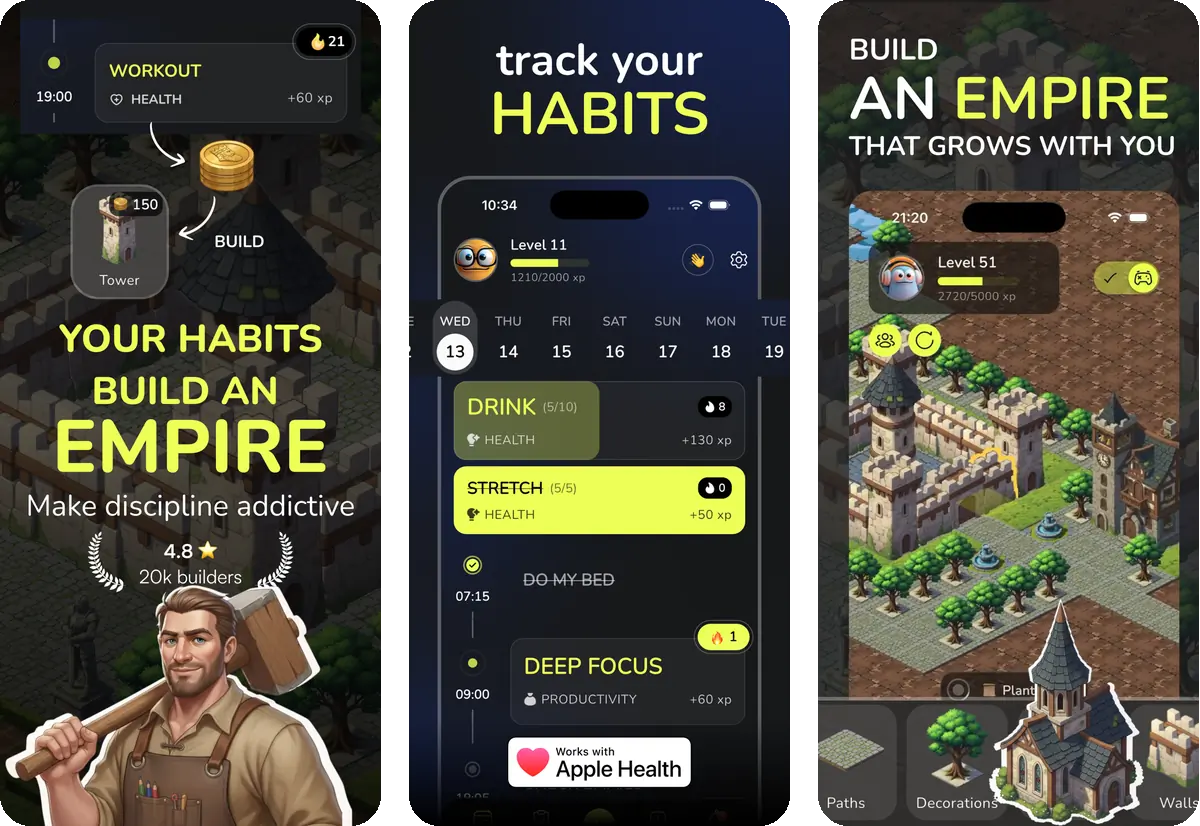
You add your habits: a glass of water before coffee, a 10-minute walk, bed by 11, ten pages before sleep. Each one you tick pays XP and Gold, and the Gold builds a medieval city. Miss a day and nothing happens. Miss 48 hours and one building gets buried. You dig it out with Gold and carry on. The rest of your city is still standing.
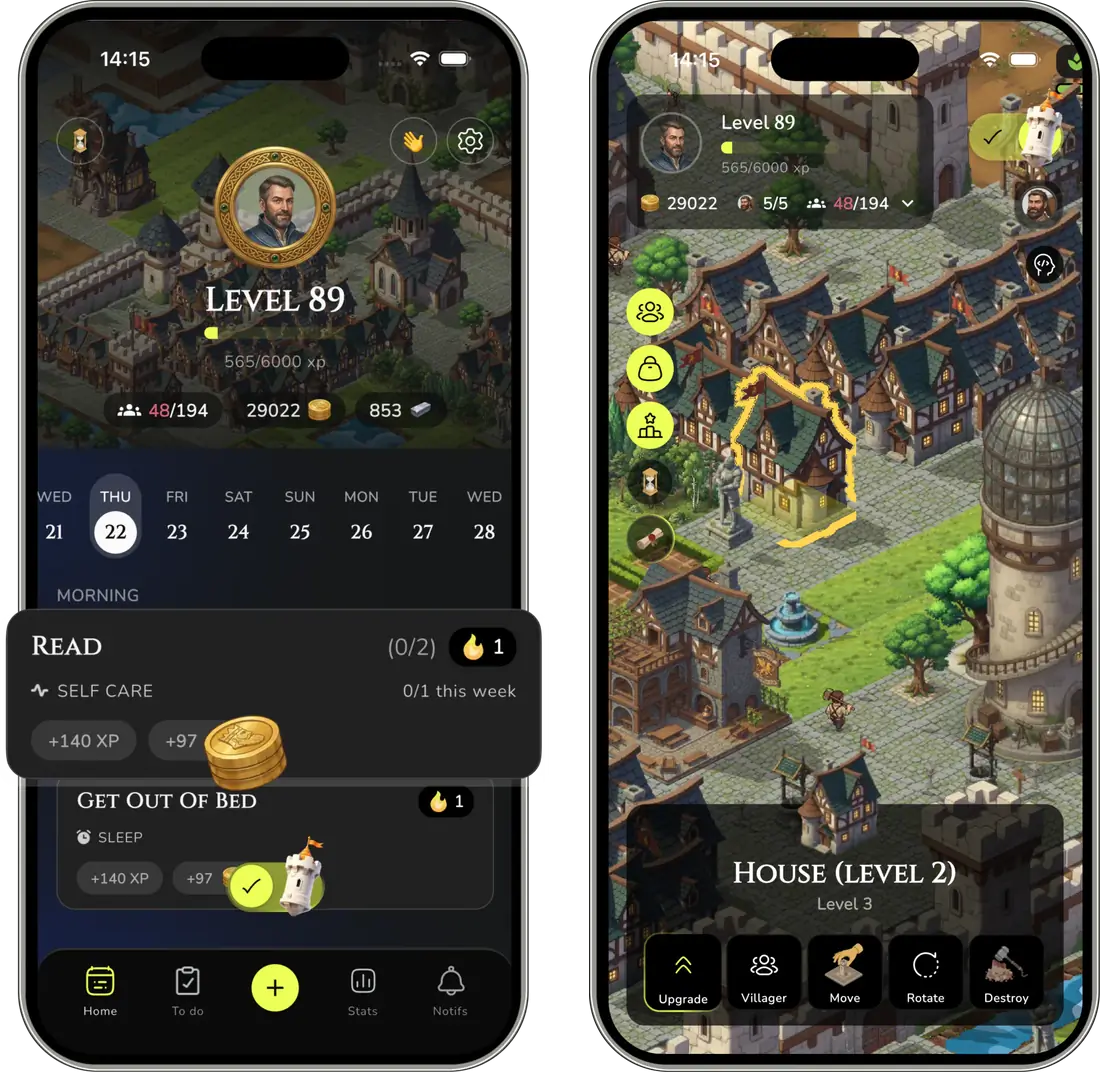
A few features help with self-care in particular. KUBBO syncs with Apple Health and Android Health, so steps, water and sleep tick themselves off. A weekly report shows what you kept and what slipped. Focus mode blocks distracting apps for as long as you set. And a Mac app sits in the notch, so you can tick a habit without picking up your phone. If you don’t know where to start, our habit guides explain how to begin drinking more water, keeping a sleep schedule, meditating and 18 other habits.
Price: free to download. Premium is optional, monthly, yearly or lifetime, and removes the limit on how far your city can grow.
Platforms: iPhone, Android, Mac.
| Pros | Cons |
|---|---|
| Every habit pays you the moment you tick it | No mood check-ins or journal |
| A missed day costs nothing; only 48 hours buries a building | No guided meditation or breathing |
| Steps, water and sleep tick themselves off from Apple Health or Android Health | The city stops growing at some point unless you pay |
| Weekly reports, Focus mode and a Mac app | If you want no stakes at all, a buried building may annoy you |
Download KUBBO on the App Store Get KUBBO on Google Play
2. Finch: a pet that grows when you look after yourself
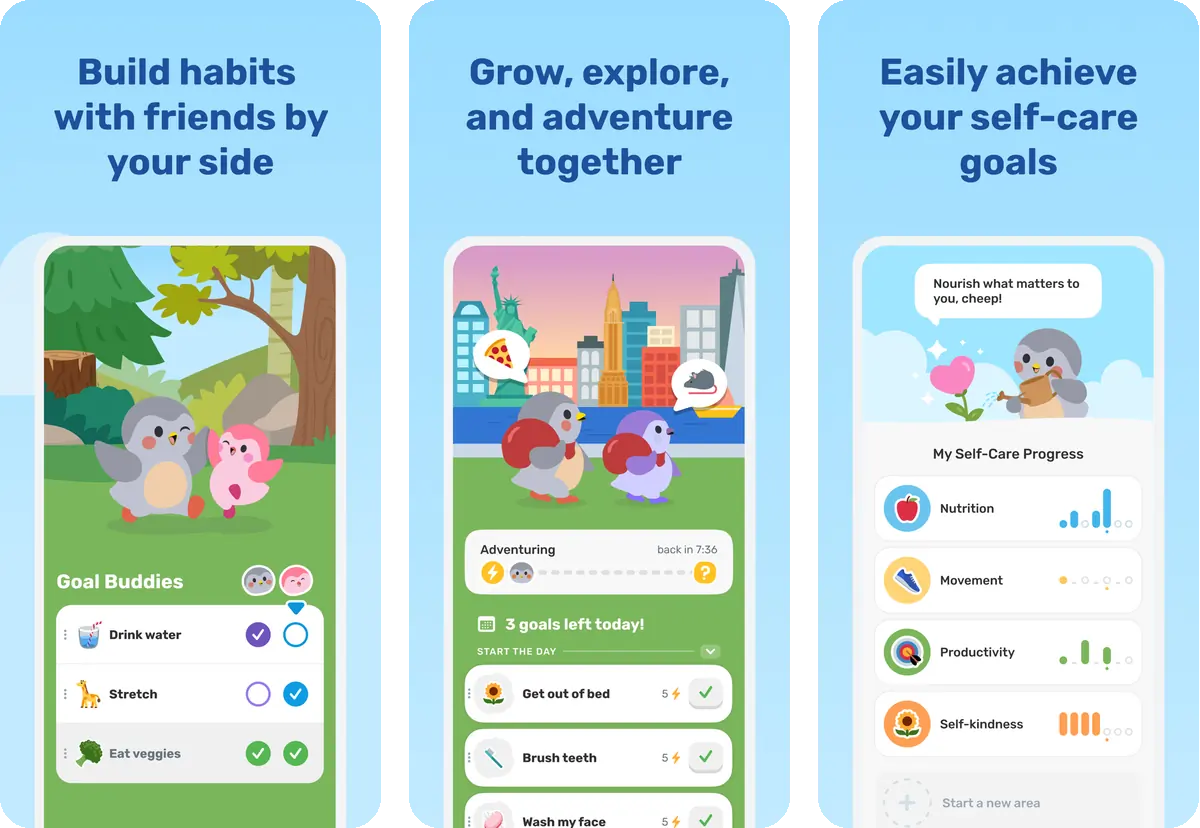
Finch is the best-known self-care app, with more than 770,000 ratings on the US App Store. You adopt a small bird. Each morning you check in with your mood and pick a few goals for the day, such as drinking water or getting out of bed. Each goal you complete gives your bird energy to go on an adventure, and in the evening it comes back with a story. There are breathing exercises, journal prompts and quizzes too, and friends can cheer each other on.
What Finch does best is never make you feel bad. Your bird does not get sick or leave when you skip a day.
Price: free and without ads. Finch Plus is optional and adds extras, mostly for dressing up your bird and its world. The US App Store lists plans from $5.99 to $69.99.
Platforms: iPhone, Android.
| Pros | Cons |
|---|---|
| Warm and gentle, with no penalty for a missed day | Built for small daily steps more than for routines you keep for months |
| The core app is free and has no ads | The cute style is not for everyone |
| Mood check-ins, breathing, journaling and goals in one place | With nothing at stake, it is easy to drift away |
| Friends can send each other goals and encouragement |
We compare the two apps feature by feature in KUBBO vs Finch.
3. How We Feel: find the word for what you feel
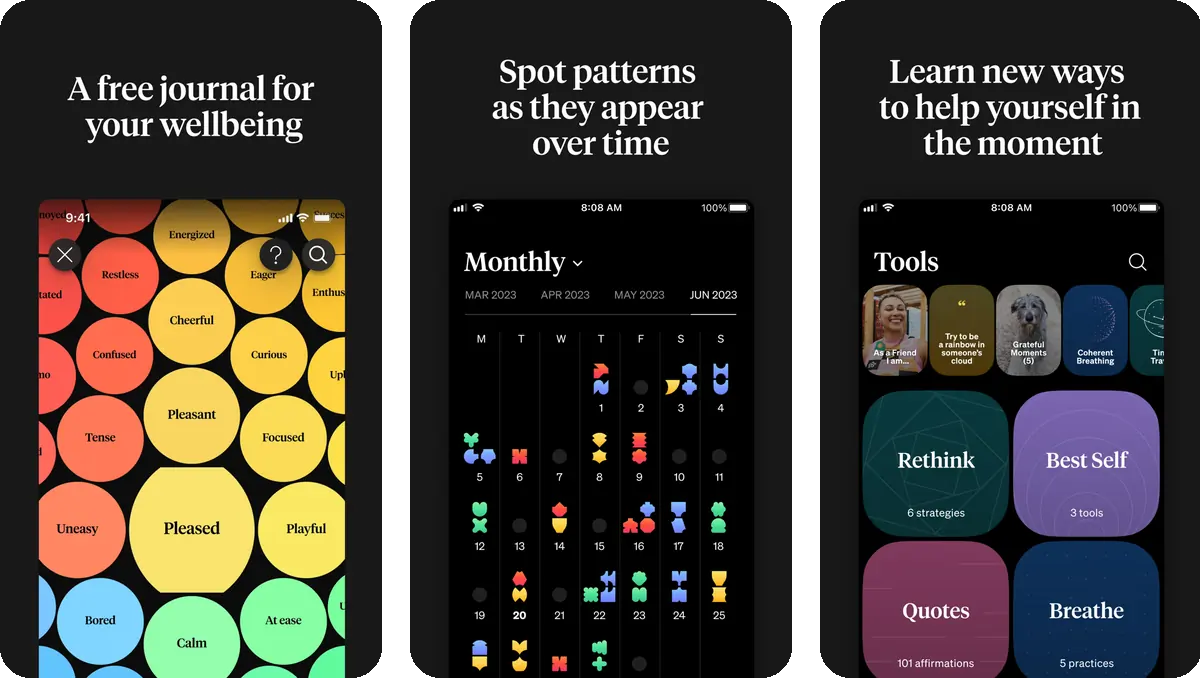
How We Feel is a free app from a nonprofit, built with Marc Brackett of the Yale Center for Emotional Intelligence. A check-in takes a few seconds. You choose how much energy you have and how pleasant you feel, which puts you in one of four colours, then pick the word that fits best: uneasy, calm, proud, drained. Over weeks, the app shows patterns. On iPhone it also reads your sleep and exercise from Apple Health, so you can see how they line up with your moods.
When you need help in the moment, it has short videos, some just a minute long, grouped under themes such as changing your thinking, moving your body, being mindful and reaching out. Your data stays on your phone unless you choose to share it, without your name, for research.
Price: free, with no ads and nothing to buy. Donations pay for it.
Platforms: iPhone, Android.
| Pros | Cons |
|---|---|
| Free for good, with nothing locked | It helps you notice your feelings, not build habits |
| Built on years of Yale research into emotions | No goals, rewards or game |
| Your data stays on your phone by default | The Android app rates lower: 4.1 on Google Play, 4.9 on the App Store |
| Short strategies for hard moments |
4. Dustbunny: a cozy game about your feelings
Dustbunny is a game, not a tracker, and that is why it is on this list. You wake up in a dusty room. Your feelings hide in it as shy creatures called Emotibuns: sadness, anger, anxiety, loneliness, emptiness. Catch one and name it, and it grows into a plant. You look after your plants in more than 20 ways, from watering them to singing to them, and slowly the room becomes a place you like to be in.
It suits days when a to-do list feels like too much. Nothing asks you to perform. But it is an idle game with ads and a paid currency, so watch what you spend.
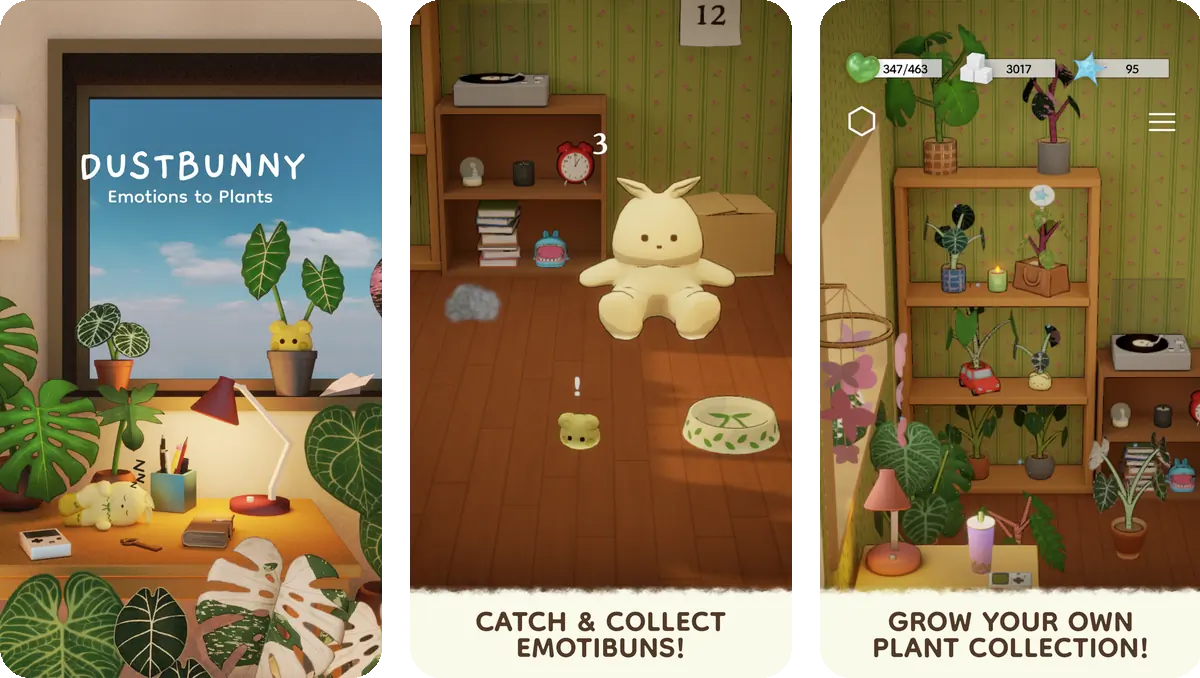
Price: free, with ads you can pay to skip and in-app purchases from $1.49 to $29.99.
Platforms: iPhone, Android.
| Pros | Cons |
|---|---|
| Turns naming your feelings into play | Ads, unless you pay to remove them |
| Calm, slow and lovely to look at | A paid currency, and the App Store warns that it has loot boxes |
| No tasks or streaks to keep up | Does nothing for sleep, food or moving |
5. Tangerine: a quiet self-care habit tracker
Tangerine does three things: habits, mood and a journal. You set habits such as meditating or going for a run, with reminders and streaks. Each day you rate your mood and tag what shaped it, such as work, exercise or family, so over time you see what makes you happy or sad. The journal has guided templates, for gratitude or for calming anxiety. Health habits can tick themselves off from Apple Health.
Apple has featured it several times, including as App of the Day in 2020. More than 6,600 people rate it 4.7 on the US App Store.
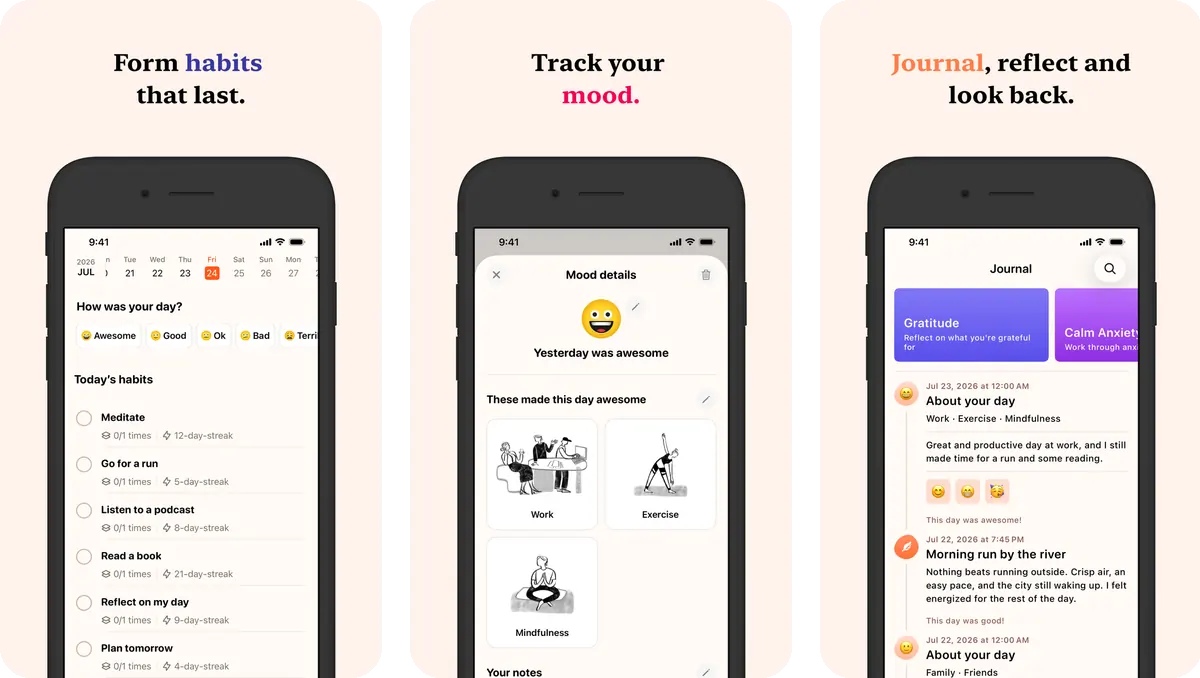
Price: free to download. Premium costs $6.99 a month or $39.99 a year.
Platforms: iPhone, iPad and Apple Watch. There is no Android app.
| Pros | Cons |
|---|---|
| Habits, mood and journal in one calm app | iPhone only |
| Shows which activities go with your good and bad days | No game or pet: the streak is the only reward |
| Apple Health ticks off health habits for you | |
| Has an Apple Watch app |
6. Bearable: find out what actually helps
Much self-care advice is guesswork. Bearable lets you test it on yourself. You log your mood, energy, sleep and symptoms in a few taps a day, along with anything you think matters: coffee, alcohol, exercise, time with a friend, a new medication. After a few weeks, it shows which of them go with your better days and which go with your worse ones.
It began as a symptom tracker for people with chronic illness, so it also tracks pain, migraines, periods and medication. That makes it more clinical than the other apps here, and more useful if your health is the hard part.
Keep in mind that a pattern is not proof. If you sleep badly on days you drink coffee, the coffee may be the cause, or you may drink more coffee on stressful days.
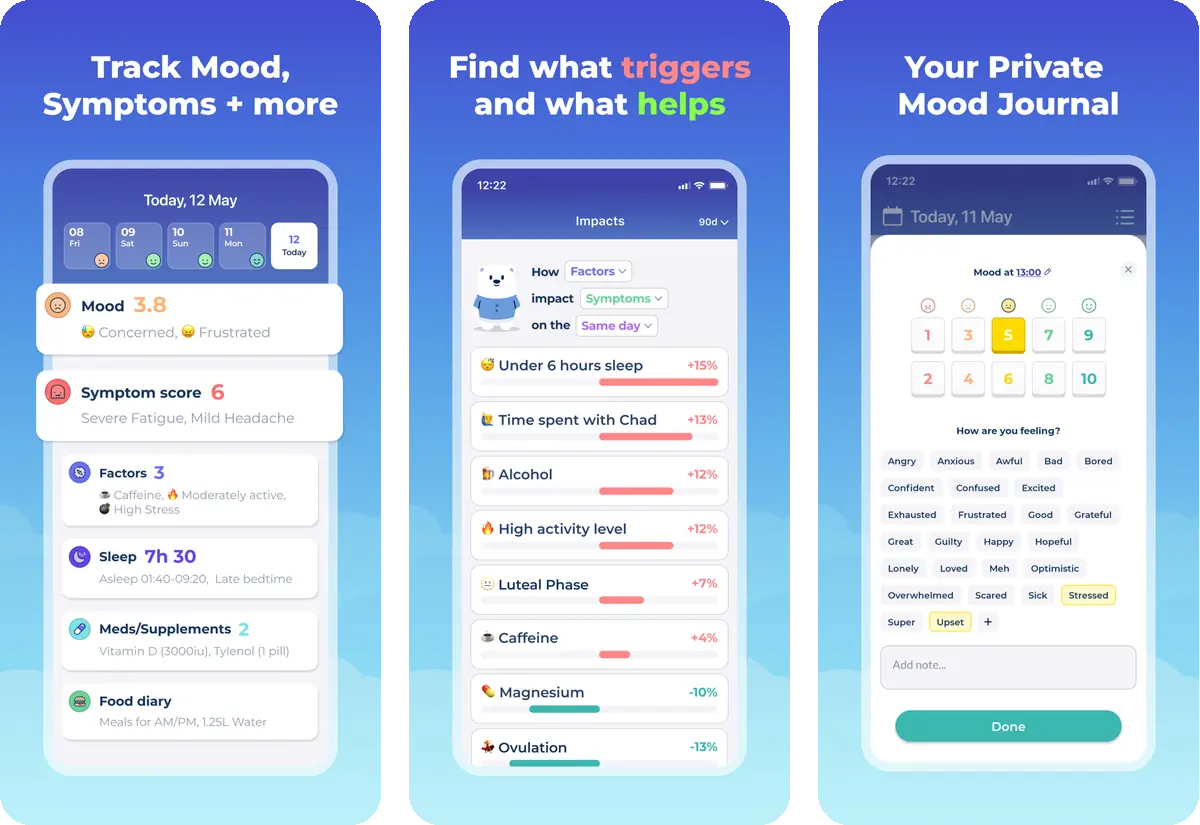
Price: tracking is free, with no limit on what you log. Premium adds the reports that show what helps, and costs $6.99 a month or $34.99 a year on Bearable’s site. Prices in the App Store vary.
Platforms: iPhone, Android.
| Pros | Cons |
|---|---|
| Answers “what helps me?” with your own data | The reports that show what helps are Premium |
| Free tracking, as much as you like | You need a few weeks of logs before patterns show |
| Tracks health, mood and habits together | Looks and feels like a medical diary |
7. Medito: free meditation, for good
Most big meditation apps sell a subscription. Medito does not. A nonprofit foundation runs it, and every course, sleep story and breathing timer is free, with no ads. You can download sessions and listen offline. Beginners can start with a short course on learning to sit, then move on to 30-day challenges.
It has research behind it. In 2024, researchers at the universities of Bath and Southampton split 1,247 people from 91 countries into two groups. One did ten minutes a day of Medito’s 30-day course for beginners, the other a matched task without mindfulness. The mindfulness group reported more wellbeing and less depression and anxiety, and the gains held a month later. Two caveats: only about 300 people answered the final survey, and the lead author was an unpaid volunteer for the Medito Foundation.
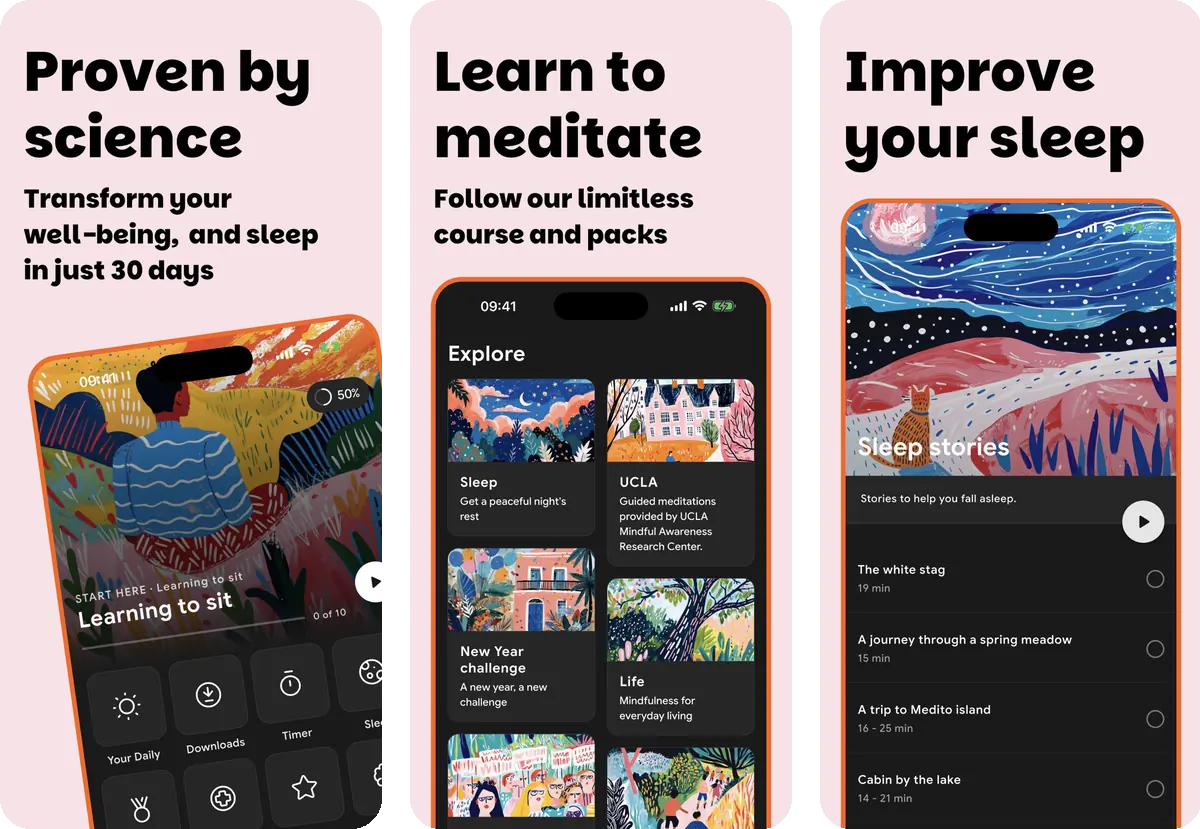
Price: free, with no ads and nothing to buy.
Platforms: iPhone, Android.
| Pros | Cons |
|---|---|
| Everything is free, for good | Meditation, breathing and sleep only |
| Sessions work offline | The trial behind it lost most of its participants |
| Sleep stories and soundscapes | |
| Tested in a randomized trial |
If you are new to meditation, our guide to daily meditation explains how to make it stick.
8. Rootd: for panic attacks and anxiety
Rootd does one job. When a panic attack starts, you press a big red button, the Rootr, and the app talks you through it, step by step, with prompts drawn from cognitive behavioural therapy. Around it are breathing exercises, body scans, a journal for anxious moments, an emergency contact, and short lessons on where anxiety comes from. Apple has made it an Editors’ Choice.
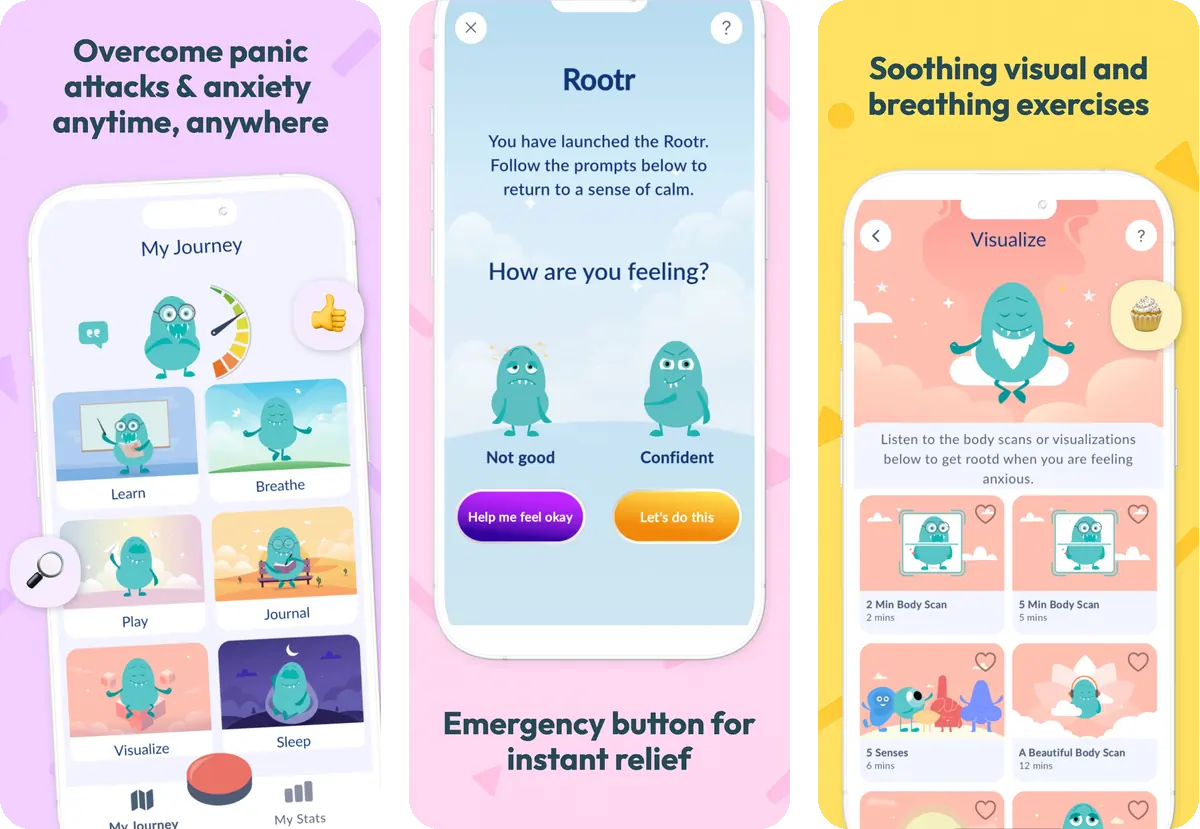
Price: the developer says the core features, the panic button included, are free. Full Access costs $6.99 a month, $59.99 to $79.99 a year, or $179.99 once on the US App Store.
Platforms: iPhone, Android.
| Pros | Cons |
|---|---|
| Made for the worst moment, not for a routine | Narrow: it is only about anxiety and panic |
| The panic button is free | Full Access costs more than most apps here |
| Simple and friendly | It does not replace treatment if attacks keep coming |
9. SuperBetter: resilience as a game
The game designer Jane McGonigal made SuperBetter while recovering from a concussion. It treats your life as a game. Power-ups are small things that make you feel better, such as five deep breaths. Bad guys are what holds you back, such as your inner critic. Quests are small missions, and allies are friends you check in with. Each goal you reach is an epic win.
It has a trial behind it too. In 2015, researchers tested it with 283 adults who had symptoms of depression. Those who played SuperBetter for a month saw their symptoms fall more than people on a waiting list. The authors warned that many people dropped out.
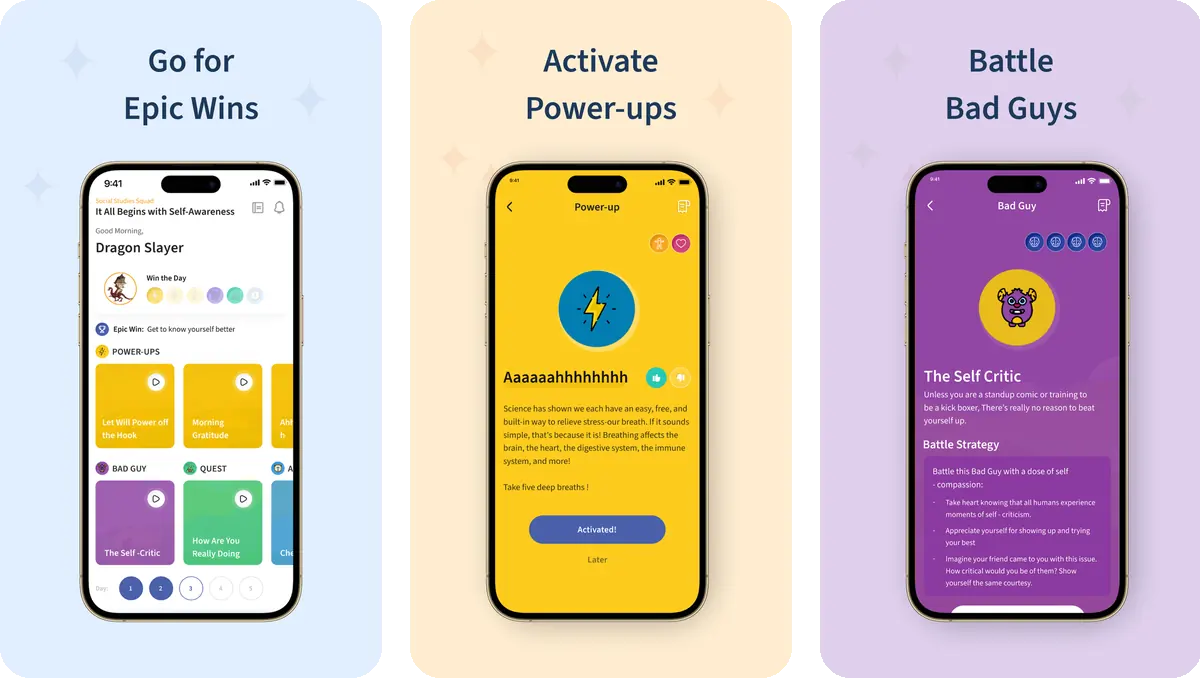
Price: the Hero plan costs $24.99 a year after a 14-day free trial. The free Player account only lets you join group challenges that a host invites you to.
Platforms: iPhone, Android.
| Pros | Cons |
|---|---|
| Your inner critic becomes a bad guy you can beat | After the trial, you need the paid Hero plan to play alone |
| Backed by a randomized trial | Rated 4.0 on Google Play |
| Cheap for a full year | The iPhone app was last updated in March 2026 |
We compare the two game-based approaches in KUBBO vs SuperBetter.
What about Calm, Headspace and Fabulous?
They are on every other list, and you have probably heard of them, so we left them out. If you are thinking about Fabulous and its guided routines, read KUBBO vs Fabulous. For more apps that turn habits into a game, see the best gamified habit trackers. If you want apps that cost nothing, see the best free habit trackers. All our comparisons are on one page.
How to choose
Start from the problem, not the app.
- You know what to do but don’t do it. You need a habit app: KUBBO if you like a game, Tangerine if you want something plain.
- You stop after one bad day. Finch or Dustbunny. Both are gentle, and neither punishes you.
- You feel off and can’t say why. How We Feel helps you name it. Bearable shows what goes with it.
- You feel tense, or you sleep badly. Medito. If the trouble is going to bed at all, read why you stay up when you know better.
- You get panic attacks. Rootd, and a doctor.
Then keep it to one or two apps. Five self-care apps are a chore of their own. A good pair is one app for your habits and one for the moments you need help. Give it two weeks before you judge it: the first days of any app are the easy ones.
A word on apps and mental health
No app on this list is treatment. They help with ordinary stress and low days. If you have felt low most days for weeks, or you think about harming yourself, talk to a doctor. In the US, you can call or text 988 at any hour.
Quick answers
What is the best self-care app? It depends on what you need. To build self-care habits and keep them, we made KUBBO. For a gentle companion, Finch. For free tools with nothing locked, How We Feel and Medito.
What is the best free self-care app? How We Feel and Medito are free, with no ads and nothing to buy. Both are run by nonprofits. Finch, KUBBO, Bearable and Rootd have free versions with paid extras.
Are there apps like Finch? Dustbunny is the closest in mood: a gentle game in which your feelings grow into plants. KUBBO swaps the pet for a city. KUBBO vs Finch covers the differences.
Do self-care apps work? Some have been tested. Medito and SuperBetter both have randomized trials behind them, though both trials lost many people along the way. Most apps have no trial at all. The best app is the one you still open a month from now, so pick the one that fits how you live.
Is there a self-care app for ADHD? None of these is built only for ADHD. Rewards that come at once matter more with ADHD, which is why we compare apps on that point in the best habit trackers for ADHD. For the method, read building habits with ADHD.
Can I do self-care without an app? Yes. Paper works. Our 30-day self-care challenge has a calendar to print, and the free habit tracker template prints a grid for any habit. In December, the self-care advent calendar gives you one small task a day.
Pick one app from this list, add one small habit to it, and do it today.